Some names spread across the internet much faster than the facts behind them. Why do so many pages describe the same word in completely different ways? One page calls it a phone app, another calls it an AI platform for big companies, and a third calls it a simple blog, so which story is real? Tikcotech is a brand name that appears online in several unrelated roles, and no single verified, official app under that name has been confirmed, which is the answer most pages skip.
What Is Tikcotech?
Tikcotech is a name used by different websites and articles to describe different things. Depending on which page you open, it is a mobile app, a business technology platform, a services company, a tech blog, or a TikTok viewing website. These descriptions do not agree with each other, and most of them do not name a developer, an address, or a store page that you can check.
That is why the search results feel confusing. Here is a quick map of the four main versions you will meet, and how well each one holds up.
| Version | What pages say | Can you verify it? |
|---|---|---|
| All in one phone app | Music player, game emulator, app manager, photo editor | No official developer or store listing found |
| Enterprise tech platform | AI, blockchain, IoT and cloud in one system | No vendor, product page or sources named |
| Business services provider | AI, cloud, automation, cybersecurity, custom software | No founding date, location or client list given |
| Tech blog and a TikTok viewer site | Phone tutorials, app guides, and a separate viewing service | Websites exist, but shared ownership is not established |

The All in One App Claim
Many articles describe the name as a single Android app that replaces several others. The list of features is almost always the same: a high quality music player with offline playback, an Android game emulator with custom controls, tools to manage and back up your installed apps, and photo editing with filters and text overlays. Some posts add that it runs on iPhone and Windows, and that a “Mod APK” version unlocks premium features for free.
Here is the problem. Almost none of these posts link to a developer website, a Google Play page or an App Store page. Several repeat numbers such as a 30 percent drop in carbon emissions or a 20 percent battery boost, but none of them point to a test or a source. A claim without a source is marketing, not evidence.
The Enterprise Platform Claim
A second group of articles describes it as a technology ecosystem for companies. These posts talk about artificial intelligence, blockchain, Internet of Things sensors and cloud computing, and they list uses in healthcare, banking, factories and retail.
When we read one of the longer examples closely, it never named a maker, a price, or a real customer. Its statistics had no citations, and some figures changed from one section to the next. A page that describes a concept but cannot say who sells it has not described a product.
The Business Services Claim
A third version calls the name a company that builds software and automation for other businesses. The services mentioned include chatbots, invoice automation, cloud migration, endpoint security and custom ecommerce software.
The same weakness appears again. There is no founding year, no head office, no leadership names and no case studies. The writing is full of hedges such as “appears to” and “may offer”, which tells you the author could not verify the details either.
The Tech Blog and the TikTok Viewer Website
The fourth version is the only one that points to real websites. The site at tikcotech.com publishes articles about phone apps, smartphone settings, AI tools and troubleshooting. A different site with a similar name advertises a service for looking at public TikTok content without logging in.
Similar names do not prove shared ownership. A blog that reviews apps is also not the developer of those apps. Keeping this difference clear removes most of the confusion around the brand.
Is There an Official Tikcotech App?
No official app under this name has been verified. In our research, we could not find a Google Play or App Store listing from a named developer that matches the all in one app described online. The feature lists exist only inside third party articles that copy each other.
This matters because a real app always leaves clear traces. It has a developer name, a privacy policy, user reviews, update history and a list of permissions. If an app you were told about has none of these, treat it as unconfirmed.
Is a Tikcotech APK Download Safe?
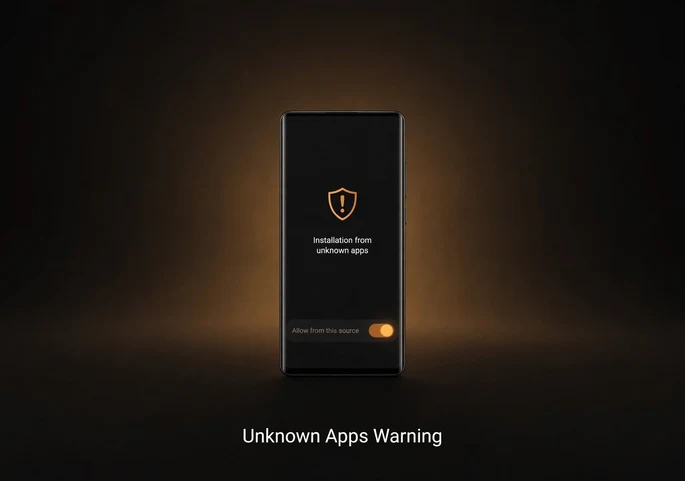
Downloading a file labeled as this brand’s installer from a random website is risky. An APK is the installer file for an Android app. When it does not come from Google Play, nobody has checked it for you, and modified versions are a common way to hide adware, spyware and fake login screens.
Pages that promise a free “Mod” or “premium unlocked” version deserve extra suspicion. A modified app has been changed by someone who is not the developer, so you cannot know what extra code was added.
Watch for these warning signs before you install anything:
- The page asks you to turn on “unknown sources” for your whole phone.
- The file comes from a mirror site, not an official store.
- The app asks for permissions it does not need, such as access to your messages or contacts.
- There is no named developer or privacy policy.
- The page promises paid features for free.
How to Check Any App Before You Install It
You can protect yourself with a short routine that works for every app, not only this one.
- Search the app name together with the word “developer” and confirm the maker has its own website.
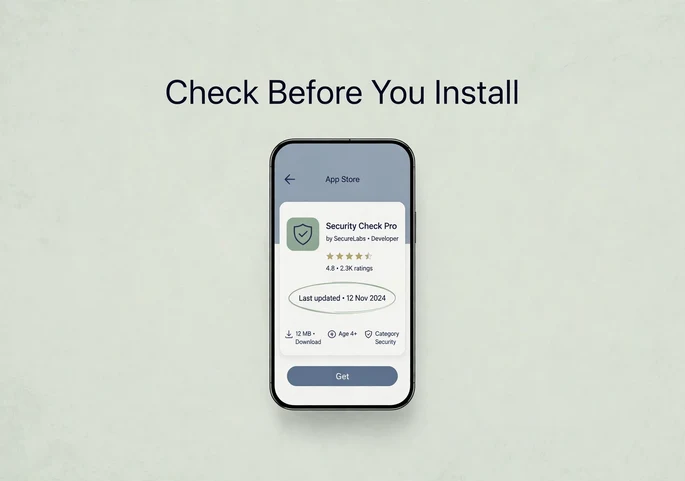
- Open Google Play or the App Store and read the developer name, review count and last update date.
- Read the permission list. A music player does not need your SMS history.
- Keep Google Play Protect turned on, since it scans apps on Android devices.
- Never enter passwords for other accounts into a site that offers a download or a viewing tool.
- Delete the app and change your passwords if anything feels wrong after installing.
For more explainers like this one, browse the latest tech guides and news on Techweeklys.
Does It Work on Android, iPhone and Windows?
Articles claim support for all three systems, but no developer page confirms it. If you searched for tikcotech for android, the safe answer is to rely on apps you can verify in Google Play, where each listing shows its developer and permissions. iPhone users get a similar check in the App Store.
The websites behind the name work differently. A blog or a web tool opens in any browser on any device, so there is nothing to install.
Claims You Should Treat With Caution
Some statements repeat across many posts, and each one needs proof before you believe it.
- Carbon emissions down 30 percent: no test or source is shown.
- Battery life up 20 percent: no testing method is described.
- Phone runs 30 percent faster: a cleaner can free storage, but speed gains depend on the phone.
- Enterprise grade encryption and compliance: no certificate or audit is named.
- Unlimited free downloads: this usually describes a modified file, which brings risk.
A useful rule is to ask who measured the number and where they published it. If there is no answer, skip the claim.
Can a Viewer Website See Private TikTok Accounts?
No verified evidence shows that any viewing website can open private TikTok accounts. Private accounts only show content to approved followers, and a third party tool cannot override the platform’s access controls. Public content may be viewable without logging in, but your visit can still be logged by the site. Never type your TikTok password into a tool that offers to unlock hidden content.
Why So Many Pages Disagree
Most of these articles are written by people who searched the same keyword and rewrote what other pages said. Once one wrong claim appears, it gets copied. That is how an unverified app description can show up on dozens of websites.
You can break the cycle by checking primary sources: the developer site, the official store page and the privacy policy. If those do not exist, the claim stays unconfirmed no matter how many blogs repeat it.
FAQs
What is Tikcotech?
Tikcotech is a name used online for several unrelated things, including a tech blog, a TikTok viewing website, and a disputed all in one app. No single official product under the name has been verified.
Is Tikcotech app safe to download?
There is no verified developer listing to judge, so downloading an installer from an unknown site is risky. Stick to Google Play or the App Store, and avoid modded APK files.
Is there a Tikcotech download for iPhone or Android?
No official download has been confirmed for either system. Claims of support for Android, iPhone and Windows come from third party articles without a developer source.
Is Tikcotech the same as Tikco Tech?
Yes, people use both spellings for the same name. Neither spelling points to a confirmed company or app.
Conclusion
The confusion around this name comes from copied claims, not from a hidden breakthrough product. When you separate the blog, the viewer site, the business descriptions and the app rumors, you see that each one stands on different, and often thin, evidence. Careful readers focus on app safety first and features second.
Before you install anything promoted online, check the developer, the store listing and the permissions. Unofficial installers are also a common route for malware, and our ransomware guide for 2026 shows how to protect your files and accounts.
Trust sources you can verify, and let the rest of the hype pass by.
Read More