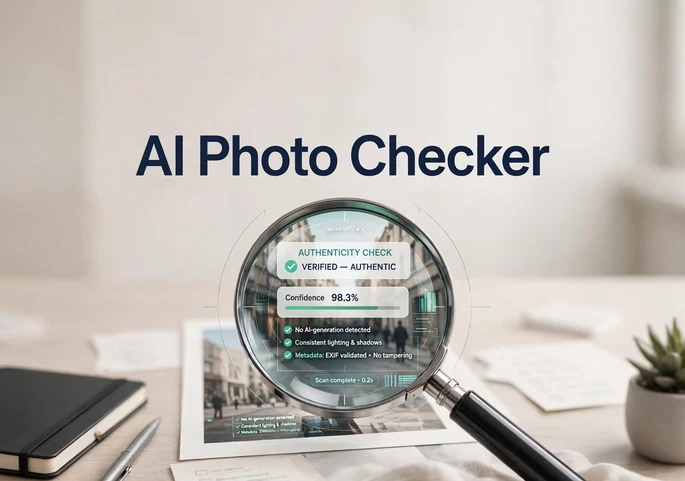
A single fake image can travel around the world in minutes. How can you tell if the picture on your screen is real? An AI photo checker gives you a quick estimate by studying patterns inside the image, and this guide also covers score bands, other verification methods, limits, privacy, and who uses these tools. You will learn when to trust a score and when to dig deeper.
What an AI Photo Checker Does
An online tool of this type estimates whether a picture was made or heavily edited by generative AI. It does not search the web for a matching copy of your photo. Instead, it studies visual patterns inside the file itself. Many people call this kind of tool an AI image detector, and the basic idea is the same.
The Three Step Process
Most tools follow one simple flow. A basic AI photo checker asks you to upload a JPG, PNG, or WebP file. Some tools cap the file size at roughly 4 to 10 MB, and some need no account. Features differ, so read each tool’s own page before you start.
- Upload: Choose your image file and send it to the tool.
- Analysis: The system studies texture smoothness, color uniformity, edge behavior, noise patterns, and metadata.
- Result: You get an AI likelihood score, and some tools add extra views of the image.
What the Score Bands Mean
The tool returns an AI likelihood score, and many tools show it in bands. The bands below are an example only, because each tool sets its own ranges. Some tools also outline regions edited with image software and offer side by side views for review. Treat the number as a hint about where to look next, not as proof.
| Example score | Example meaning |
|---|---|
| 0 to 14 percent | Likely authentic |
| 15 to 49 percent | Weak or inconclusive |
| 50 to 84 percent | Likely AI |
| 85 to 100 percent | Strong AI signal |
Other Ways to Check an Image
A score is only one clue, and other methods can back it up. The Google SynthID detector reads invisible watermarks, but it only covers systems that use them. Content Credentials, built on the C2PA standard, can show the creator and edit history, yet many files carry none, and missing data proves nothing. Reverse image search, such as Google Lens, can show whether an old photo is being passed off as new. When you try to check if photo is ai generated, one method is rarely enough.
Why Real Photos Can Score High
Real photos sometimes get flagged by mistake. Heavy sharpening or HDR processing can make an image look unnatural to a tool. Highly symmetrical commercial scenes, aggressive phone filters, and repeated JPEG saving can also raise a score. If a photo you trust scores high, look at how it was processed before you decide.
- Heavy sharpening or HDR
- Symmetrical commercial scenes
- Strong phone filters
- Many JPEG saves
Limits You Should Respect
A score is triage evidence, not a final verdict. The smart move is to combine it with source checks and human judgment. Never act on one score alone, especially when a person’s reputation or money is involved. Even a good AI photo checker can miss things, and it can flag real photos too.
Who Uses These Tools
Journalists run checks before publication so they do not spread fake images. Online marketplaces can review product photos to protect buyers. Teachers use these tools to build media literacy skills in class. Artists use them to defend original work or to screen contest entries, and a photo authenticity checker fits that job well.
Checking Photos on a Budget Setup
You do not need expensive software to run a basic check. An AI photo checker works in a browser, and some tools need no account. A phone or an older laptop and a few minutes are enough for a first pass. Plans and limits can change, so recheck each tool’s page before you rely on it.
If you are building an affordable toolkit, our guide to budget tech shows how to stretch every dollar. Pair simple gear with good checking habits before you spend more. A careful routine beats a pricey gadget.
Other AI Image Tools You May Know
AI now creates and edits images, not just checks them. Popular tools can swap backgrounds, change styles, and recolor details in a portrait. People who have tried them know how natural the results can look. That is exactly why detection tools matter.
For example, an AI hair color changer shows how a small edit can look believable. Edits like that are the kind a checker may flag when it outlines changed regions. Keep this in mind when you review any portrait.
Privacy Before You Upload
Privacy rules differ from tool to tool. Some tools delete your file after analysis and run fully in the browser. Others store uploads, and you may not see that unless you read the policy. Check the privacy details before you upload sensitive photos such as IDs, family pictures, or client work.
Conclusion
An AI photo checker is a helpful first step, not a final judge. It studies patterns, gives a likelihood score, and sometimes shows edited regions. Pair it with watermark checks, Content Credentials, reverse image search, and your own judgment. Treat every score as a clue, and you will make better decisions about the images you see.
Frequently Asked Questions
Can an AI photo checker prove a photo is fake?
No. It gives an estimate based on patterns, not proof. Use the score together with source checks and human judgment.
Why did my real photo score as AI?
Heavy sharpening, HDR, strong phone filters, symmetrical scenes, and repeated JPEG saving can raise a score. A high score on a real photo is a known limit of these tools.
Is it safe to upload private photos?
It depends on the tool. Some delete files after analysis and run in the browser, while others store uploads. Read the privacy policy before you upload anything sensitive.
Does a missing watermark mean a photo is real?
No. Many files carry no watermark or Content Credentials at all. Missing data proves nothing, so keep checking with other methods.
Read More