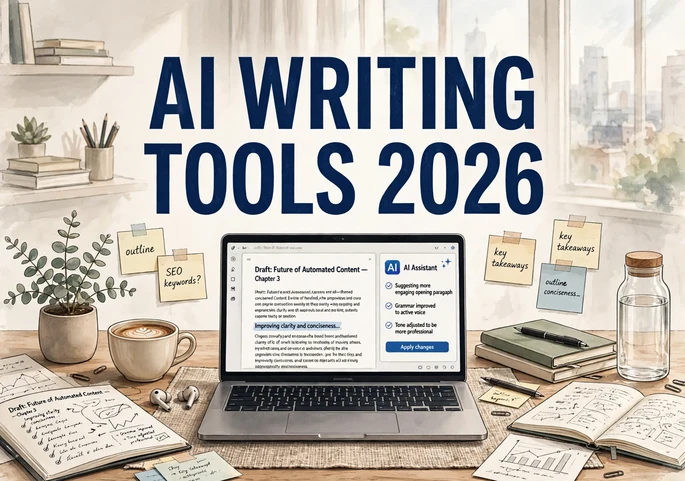
Writing software now remembers more about your projects than some of your coworkers do. So what actually changed this year, and which updates deserve your attention? This guide to AI writing tools updates 2026 covers memory, long document editing, file search, and the new focus on how brands appear in AI answers. It also explains writing help built into operating systems and simple habits for keeping up with fast changes.
AI Writing Tools Updates 2026: The Big Picture
The main story is that tools now carry context from one session to the next. Instead of pasting the same instructions every day, you can store project notes and style rules once. Editing has also moved from short chat replies to larger workspaces built for full drafts. This shift sits at the heart of AI writing tools updates 2026, and it changes daily work more than most feature lists suggest.
Memory and Project Context
Memory is the update most people notice first. Tools can now keep project details, past instructions, and preferred tone, so you spend less time on setup. This helps with repeat work such as weekly newsletters, product docs, and client emails. Treat these features as vendor claims, and check each tool’s settings to see what it stores and how to delete it.
Memory features may hold items like these:
- Project goals and audience notes.
- Style rules and tone guidance.
- Past instructions you gave the tool.
- Reference files tied to one project.

Long Document Editing With Canvas Workspaces
Long drafts now live in side by side workspaces instead of a single chat thread. ChatGPT canvas writing is one example, where you edit a document next to the conversation and ask for changes to a selected part. Other tools offer similar editors that let you highlight a paragraph and request a rewrite. Features and plan limits change often, so read the current help page before you build a routine around them.
Smarter Search Across Your Reference Library
Many tools now pull answers from large piles of your own files, notes, and project folders. This helps when you write a report and need facts spread across ten old documents. Better retrieval can reduce made up details, but it does not remove the need to check facts. Always open the source before you publish a claim.
AI Visibility and GEO
Another 2026 trend is AI visibility, sometimes called GEO. These tools show how a brand appears inside answers written by AI systems. Marketers use that data to decide which pages to write, fix, or update. Inside AI writing tools updates 2026, this is a young category, so treat any score as one signal and not as proof.
Writing Help Built Into Your Operating System
Operating system makers are expanding their own writing tools too. Industry coverage describes grammar checking that suggests revisions next to your original text, with options to accept or reject each change or all of them at once. Some versions also let you pause the checks, and voice dictation style options such as help me write are spreading. Availability depends on your device and software version, so verify it before you plan around it.
Creative and Office Suite Updates
Some creative and office suites are adding document aware assistants to word processing, presentation, and spreadsheet apps. Coverage also points to agent automation support on Mac. These updates were described as arriving in November 2026, so details may still shift. TechWeeklys has not tested them, so treat the feature lists as vendor claims until you see them in your own account.
Best AI Writing Tools: How to Choose
People keep asking for the best AI writing tools, and the honest answer depends on the job. General chat assistants suit drafts and brainstorming, grammar tools suit polish, and brand tools suit teams with strict style rules. Many writers build an AI writing assistant 2026 setup from two or three of these types. Pick by workflow, not by the longest feature list.
| Job | Tool type | What to check |
|---|---|---|
| Brainstorming and first drafts | General chat assistant | Memory settings and data use. |
| Polish and grammar | Grammar and rewrite tool | Suggestions you can accept or reject. |
| Team voice | Brand style tool | Style rule limits and user seats. |
| Brand visibility | AI visibility tool | How it collects data, and the price. |
AI Tools for Events and Remote Content Work
AI writing help also fits event and remote work, where teams write invites, agendas, scripts, and follow up emails fast. A good tool can turn rough notes into a clean run sheet or a friendly reminder. You still need a person to check names, times, and links.
If you plan to run a virtual event, AI drafting can speed up promotion and recap messages. Use it for first drafts of invitations, reminders, and thank you notes. Then edit each message so it sounds like your team.
More AI Helpers Writers Need
Writing work is more than drafting. Writers also need help with sources, formatting, and quick checks. Choose small helpers for each job instead of forcing one tool to do everything.
If you cite sources often, an AI citation generator can format references quickly. Check its output against the original source, because small errors in dates or names can slip in. Save the final reference list in your own notes.
How to Keep Up With Updates
Check your main tool’s changelog about once a month. If a default model changes, recheck your prompts and custom instructions right away, because tone and output can shift. Keep one short test prompt and compare results before and after a change. To follow AI writing tools updates 2026 without burning time, also recheck prices, beta status, and device requirements before you pay.
For more practical walkthroughs on topics like these, browse our tech guides. We cover AI, apps, security, and gadgets for founders, developers, and curious readers. Check back often for fresh posts.
Conclusion
Keeping up with AI writing tools updates 2026 gets easier when you know the main themes. The biggest changes are memory, canvas style editing, smarter file search, AI visibility, and built in operating system help. Each one can save time, but each one also needs a quick check of settings, limits, and facts. Pick one or two tools that fit your work, and review them again whenever a default model changes.
Frequently Asked Questions
What are the biggest AI writing tools updates 2026 has brought?
The most visible changes are memory for projects, canvas style editing for long drafts, smarter search across your files, AI visibility tracking, and writing help built into operating systems. Details vary by product, so check each vendor’s page for current features.
How often should I check my AI writing tool for updates?
Read the changelog about once a month. Recheck your prompts and custom instructions right away when a default model changes, since tone and output can shift.
Is a canvas style editor better than chat for long drafts?
For long documents, a side by side workspace is often easier because you change the draft in place. Chat still works well for short questions and quick brainstorming. Choose the layout that matches your task.
Can I trust feature and price claims I read online?
Treat them as claims until you confirm them. Prices, beta status, and device requirements change often, so check the vendor’s own page before you buy. TechWeeklys has not tested these tools hands on for this article.
Read More
Keep exploring more Tech Weeklys guides: