

Your next big audience may never leave their desk. So how do you run an online gathering that people actually want to attend? This guide to running a virtual event covers formats, planning steps, platforms, engagement tools, and follow up. It also explains how online gatherings differ from in person ones and what to test before you go live.
What Is a Virtual Event?
It is an online gathering that people join from anywhere. Some run live, and others stay available on demand after the session ends. Organizers use them for education, sales, hiring, community building, and fundraising.
Common Types of Online Events
Webinars are single sessions for teaching, demos, and lead generation. Virtual conferences run many sessions with keynotes, breakouts, and sponsor spaces. A virtual networking event uses small groups, speed networking, or topic tables so people can talk. Other formats include hiring events, fundraisers, team building events, livestreams, hybrid events, and VR experiences.
| Type | Best for | Typical shape |
|---|---|---|
| Webinar | Education, demos, leads | One session with a host and an audience. |
| Virtual conference | Learning and sponsors | Many sessions, keynotes, breakouts. |
| Virtual networking event | Meeting people | Small groups, speed rounds, topic tables. |
| Livestream | Broadcasts | One to many video. |
| Hybrid event | Mixed audiences | In person crowd plus remote viewers. |
| VR experience | Niche training and demos | Immersive sessions in headsets. |
Online vs In Person: Key Differences
There is no venue or travel cost, which can lower the budget for hosts and guests. Sessions should be shorter, with more breaks, because screen attention fades fast. Holding attention is harder online, so plan interaction from the start. Do not assume less planning, because prep still takes real time.
Set Goals and Define Your Audience
Start by deciding what success looks like, such as signups, leads, attendance, or feedback scores. Then describe your audience: who they are, what they need, and when they are free. Before you plan a virtual event, write the goal and the audience in two short sentences. Those two lines guide every later choice.
Choose the Format and Platform
Match the format of your virtual event to your goal and your audience size. A small workshop needs chat and breakout rooms, while a large keynote needs stable streaming. When you compare virtual conference platforms, check registration, chat, Q and A, polls, breakout rooms, sponsor spaces, analytics, and recording. Prices and limits change often, so recheck each vendor’s page before you buy.
Plan the Date, Agenda, and Promotion
Pick a date and time that works across the time zones of your audience. Share the date, time, and speaker details early on your site, in email, and on social media. Build a run of show that lists who speaks, when, and for how long. Keep sessions short and add breaks.
Run a Dry Run and Prepare a Backup
Hold a practice session at least a week or two before the event. Test audio, video, screen sharing, and host controls with every speaker. Plan a backup for technical trouble, including who emails attendees if a tool fails. Test again shortly before you go live.
Useful roles to assign:
- Host: keeps the agenda on time.
- Co host: steps in if the host has trouble.
- Moderator: manages chat and Q and A.
- Tech support: helps attendees with access problems.
Tips for Hosts and Presenters on a Mac
Hosts juggle chat, slides, and speaker cues in real time. Small habits keep the stream smooth, such as muting alerts and closing extra apps. Run a full test with your real setup, not a demo account.
If you present from a Mac, learn the keyboard shortcuts on Mac that switch apps, hide windows, and capture screenshots fast. Practice them during your dry run so you do not hunt through menus on air. Keep a printed list near your screen.
Host the Event and Keep People Engaged
When you host a virtual event, the first 10 minutes set the tone. Welcome people, explain how chat and Q and A work, and start on time. Use polls, chat prompts, live Q and A, and breakout rooms to keep attendees active. Watch the chat for questions, and fix problems quickly.
Follow Up After the Event
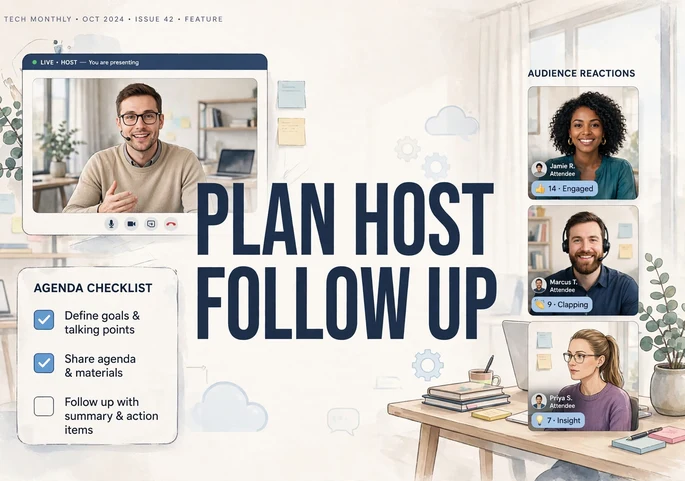
Send the recording and key resources soon after the session ends. Ask for feedback with a short survey, and thank speakers and attendees. Review chat activity, poll results, and analytics to see what worked. Use those lessons to plan your next event.
Virtual and Hybrid Tech Events
Tech events now often mix online and in person sessions, so hybrid planning matters. A hybrid event serves an in person crowd and a remote audience, which means you design two experiences. Check each event’s own site for its current format, dates, and access rules.
Readers who follow NYC Tech Week can check the official event pages for any virtual or hybrid sessions. Formats change from year to year, so confirm details before you register or plan travel. Do not rely on old schedules.
Conclusion
A good virtual event starts with clear goals, a fitting format, and a platform you tested. Add a dry run, active hosting, and prompt follow up, and attendees are more likely to return. Keep sessions shorter than you would in person, and give people ways to take part. Recheck prices, features, and schedules before you commit, because they change often.
Frequently Asked Questions
What is a virtual event?
It is an online gathering that people join from anywhere, either live or on demand. Common formats include webinars, conferences, networking sessions, hiring events, fundraisers, and livestreams.
How long should an online session be?
There is no single rule. Shorter sessions with breaks usually hold attention better online than they do in person. Test your agenda during the dry run and adjust.
How early should I run a dry run?
Hold one at least a week or two before the event, with every speaker present. Then run a quick final test shortly before you go live.
What tools help keep attendees engaged?
Polls, chat, Q and A, breakout rooms, and event app features all help. Pick two or three that fit your goal instead of using everything at once.
Read More
Keep exploring more Tech Weeklys guides:
