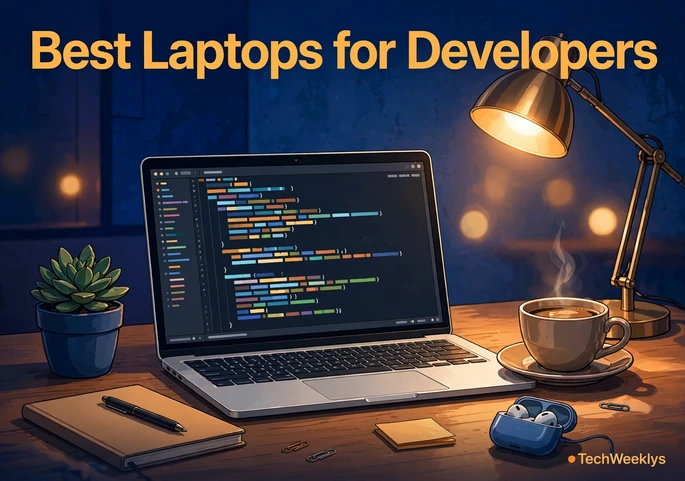
A great developer laptop compiles code quickly, runs your editor, browser, and containers at the same time without stuttering, and lasts a full workday away from a charger. After comparing published specs, expert reviews, and feedback from working programmers, we found the best laptops for developers in 2026 span a wide range, from the Apple MacBook Pro 14 with the M5 chip to capable Windows machines under $1,000. This guide breaks down six standouts and helps you match a machine to the kind of code you write.
What Are the Best Laptops for Developers in 2026?
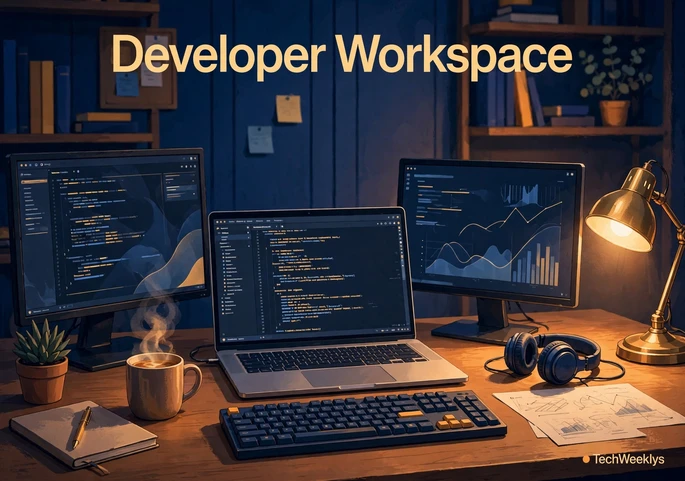
Short answer: the Apple MacBook Pro 14 (M5) is the best all-around choice for most developers in 2026, with a fast 10-core chip, superb display, and up to 24 hours of claimed battery life. The Apple MacBook Air 15 (M4) is the best portable option, the Lenovo ThinkPad X1 Carbon Gen 13 is the best Windows and Linux machine, the ASUS Zenbook 14 OLED is the best budget pick, the Framework Laptop 16 is the best for upgradability, and the Dell XPS 16 is the best pick for GPU-heavy AI work. Each earns its spot for a different kind of developer, as the sections below explain.
What Specs Matter Most for Programming?
For programming, the CPU, RAM, and SSD matter far more than thinness or brand. These are the traits that separate the best laptops for developers from ordinary ultrabooks. Aim for a modern multi-core processor (Apple M-series, Intel Core Ultra, or AMD Ryzen AI), at least 16GB of RAM, and a 512GB or larger SSD. Fast storage shortens build times and keeps large projects snappy.
Beyond the core specs, prioritize the keyboard, because you will type on it for thousands of hours, and the display, because a sharp, bright screen reduces eye strain. Battery life matters if you work from cafes: 10 or more hours is the practical minimum. Finally, check the ports, since developers plug in monitors, docks, and test devices.
Best Overall: Apple MacBook Pro 14 (M5)
Apple refreshed the MacBook Pro in March 2026 with the M5 chip, and it leads our ranking of the best laptops for developers in 2026. The base M5 carries a 10-core CPU and 10-core GPU with a Neural Accelerator in every GPU core for on-device AI work. Apple claims up to 24 hours of battery life, the 14.2-inch Liquid Retina XDR display stays readable in bright rooms, and Wi-Fi 7 comes standard.
The appeal is the complete package: Unix-based macOS running Docker, Xcode, and every major toolchain natively, plus silent operation under typical coding loads. Higher M5 Pro configurations start at $2,199 with 24GB of unified memory and Thunderbolt 5, suiting developers who compile large codebases or run local AI models. The main drawback is price, and post-purchase upgrades are impossible, so buy the RAM you will need for the next four years.
Best Portable Mac: Apple MacBook Air 15 (M4)
The 15-inch MacBook Air with the M4 chip is the sweet spot for developers who value portability. It starts around $1,299 with 16GB of memory and delivers 15 to 18 hours of battery life in real-world use. The 15.3-inch Liquid Retina display gives you more room for split-screen coding than the 13-inch model without adding much bulk.
It handles web development, scripting, mobile app work, and light container use with ease. It is not built for sustained heavy compiles, since the fanless design throttles under long loads, but for day-to-day development it is plenty fast. If your work happens in the cloud or in a browser-based IDE, this is arguably the smartest buy in Apple’s lineup.
Best Windows Laptop: Lenovo ThinkPad X1 Carbon Gen 13
For developers who live on Windows or Linux, the ThinkPad X1 Carbon Gen 13 remains the benchmark. It pairs an Intel Core Ultra 7 processor with up to 32GB of RAM and a sharp 2.8K OLED display option, all in a chassis that barely tops a kilogram. The keyboard is still the best in the business, which matters when you type all day.
ThinkPads have a long history of excellent Linux compatibility, and the X1 Carbon is a favorite for dual-boot setups and WSL2 workflows. Build quality is military-grade, and Lenovo’s business support is a real asset if this is your work machine. It costs more than consumer ultrabooks with similar specs, but developers who keep a laptop for four or five years tend to find it worth the premium.
Best Budget Pick: ASUS Zenbook 14 OLED
You do not need $2,000 for a capable coding machine. The ASUS Zenbook 14 OLED, around $899 with an Intel Core Ultra 5 processor, 16GB of RAM, and a 512GB SSD, is the strongest value among the best laptops for developers this year. The 14-inch 2.8K OLED display is gorgeous for the price, with deep blacks that ease long reading sessions.
Performance is solid for web development, student projects, and scripting, and battery life lands around 9 to 11 hours. The trade-offs are a less premium chassis and soldered memory, so buy the 16GB configuration. For students and junior developers, this is the price-to-performance winner.
Best for Linux and Upgrades: Framework Laptop 16
The Framework Laptop 16 is the only machine here you can take apart with a single screwdriver. Starting around $1,399 with an AMD Ryzen 9 processor, it lets you upgrade the RAM, storage, and even expansion-card ports yourself, which is exactly what tinkerers and Linux developers want. Framework officially supports Linux, and its community is one of the most active in the industry.
The 16-inch 2560×1600 display fits IDEs and terminals side by side. It is heavier than a MacBook or ThinkPad and battery life sits around 8 to 10 hours, but no other laptop gives you this much control over your hardware. If you build side projects at hackathons, pair this machine with our tech hackathons guide to find events to join.
Best for AI and GPU Workloads: Dell XPS 16
Developers training models or building with CUDA need a real GPU, and the Dell XPS 16 is the most polished Windows option with one. Configurations pair Intel Core Ultra processors with 32GB of RAM, a 1TB SSD, and a sharp OLED display, with NVIDIA graphics available for machine learning and 3D work.
The edge-to-edge display is excellent for data science notebooks, and the build quality feels premium. Expect to pay around $1,599 and up for a well-configured model. It is heavier than the ultrabooks here, and battery life drops when the discrete GPU is active, so treat it as a desk-first machine that can travel. For ML engineers who want one laptop for everything, it rounds out our list of the best laptops for developers as the practical GPU pick.
Is 16GB of RAM Enough for Programming in 2026?
Yes, 16GB is enough for most programming work in 2026, including web development, mobile apps, and scripting. It comfortably runs a modern IDE, a full browser, and a local dev server at the same time. This is the baseline we recommend, and it is the reason every pick on this list starts there.
Step up to 32GB if you regularly run Docker with multiple containers, virtual machines, Android emulators, or large monorepo builds, and treat 32GB as the starting point for local AI models. Because many thin laptops solder their memory, choose your RAM at purchase time: you cannot add more later on a MacBook Air, Zenbook, or X1 Carbon.
Mac or Windows: Which Should Developers Choose?
It depends on what you build. Choose a Mac for iOS or macOS development, since Xcode only runs on Apple hardware, or for a Unix-based system with excellent battery life. Choose Windows for .NET applications, games, or enterprise software. For Linux-first workflows, a ThinkPad or Framework running your distro of choice is hard to beat, and Windows machines run Linux well through WSL2.
One practical tiebreaker is where you learn and network. Many developers meet future collaborators at in-person gatherings, and our guide on What Is Tech Week covers the biggest tech events across the US.
How We Chose These Laptops
We ranked these machines using published manufacturer specs, expert reviews from established tech publications, and feedback from developer communities. We compared processors, memory options, display quality, keyboard reputation, battery claims, and Linux compatibility, then matched each laptop to a specific use case. We did not invent benchmark scores: figures here come from current retail listings and manufacturer buy.
Frequently Asked Questions
What are the best laptops for developers on a budget?
The ASUS Zenbook 14 OLED is our top budget pick at around $899, with 16GB of RAM and a beautiful 2.8K OLED display. Students can also consider the Lenovo IdeaPad Pro 5i 16, seen around $749 with 16GB of RAM. On either machine, prioritize 16GB of memory over a faster processor.
Do developers need a dedicated GPU in a laptop?
Most developers do not. Web, mobile, and backend development run perfectly on integrated graphics. You need a dedicated GPU for game development, 3D rendering, video work, and training machine learning models locally. If none of those describe your work, spend the money on more RAM instead.
How much should I spend on a developer laptop?
Plan on $900 to $1,500 for a machine that lasts four years. Budget picks like the Zenbook 14 OLED cover most coding at the low end, while $1,300 to $1,600 buys a MacBook Air 15 or Dell XPS with more headroom. Spending over $2,000 only makes sense for heavy compilation, local AI work, or iOS development.
Are MacBooks still good for programming in 2026?
Yes. The M4 and M5 chips compile code quickly, run quietly, and deliver the best battery life in the industry, with up to 24 hours claimed on the MacBook Pro 14. macOS is Unix-based, so Docker, Git, and most dev tools work natively. The main limitation is gaming and CUDA-based ML work, where Windows laptops with NVIDIA GPUs have the edge.
Conclusion
The best laptops for developers in 2026 share the same formula: a modern multi-core chip, at least 16GB of RAM, fast SSD storage, and a screen and keyboard built for years of use. The MacBook Pro 14 (M5) is the best overall package, the ThinkPad X1 Carbon Gen 13 is the Windows and Linux champion, and the Zenbook 14 OLED proves you do not need a huge budget. Match the machine to your stack and buy the RAM you will need in three years. For more buying guides and tech coverage, visit the TechWeeklys homepage.
Read More