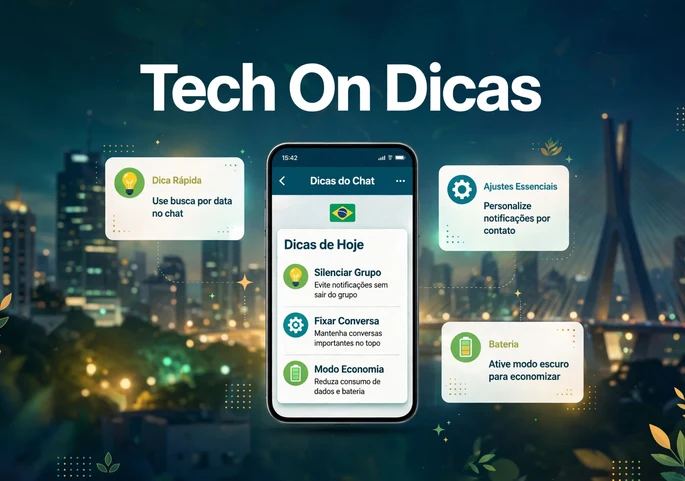
Every week, millions of people hit the same small tech wall: a phone that will not charge fast, a WhatsApp feature they cannot find, or a government app that refuses to log in. Where do people go when they want a quick, plain answer in their own language, not a long technical lecture? In Brazil, many of them land on tech on dicas, a Portuguese language website built around short, practical how to posts. The site sits in the same family as the tips blogs that many English readers already know, but it speaks to a very local audience and a very local set of apps. Below, we break down what it is, what it covers, what we could confirm by visiting it, and what we could not, so you can decide if it deserves a place in your bookmarks.
What Is Tech On Dicas?
Tech on dicas is a Brazilian technology tips website that lives at techondicas.com. When we visited it in October 2026, the site loaded normally, ran on WordPress, and described itself with the Portuguese tagline “seu site de dicas e conhecimentos em gerais,” which roughly means “your site of tips and general knowledge.” Every page we saw was written in Brazilian Portuguese, and the page language setting was pt_BR.
The posts are short, practical guides. Most of them explain one feature, one setting or one trick, such as how to find an old WhatsApp chat by date or how to copy text out of an image in Windows 11. The site does not look like a news outlet with a big editorial team. It looks like a tips library, built to answer one small question per article.
Three other websites have published descriptions of the platform, and they all frame it the same way: a simple place for tutorials, app guides and everyday tech help. We used those descriptions as background, then checked them against the live site, because a few details in them did not match what we saw.
What Does “Dicas” Mean, and Who Is the Site For?
“Dicas” is the Portuguese word for tips or hints. The singular form is “dica.” So the name literally reads as “tech on tips,” and it signals the promise of the whole brand: short advice you can use right away. If you see a Brazilian page titled “dicas de WhatsApp,” it simply means “WhatsApp tips.”
The main audience is Portuguese speaking smartphone and computer users, especially in Brazil. That includes beginners, parents, older relatives, students and anyone who feels lost when an app changes its menu. The writing is plain and direct, which suits people who want a fix rather than a deep technical explanation.
The site is less suited to founders, developers or security professionals who need advanced technical depth. If you want API guides, startup news or detailed product reviews, you will need other sources. Think of this site as a friendly helper for daily phone and app problems, not as a trade publication.

What Does the Live Site Cover Right Now?
The top menu on the homepage shows the real structure of the site. The categories are Início (home), Dicas de WhatsApp, Dicas, Celular, Internet, Entretenimento, Carro and Renda Extra, plus a Termo de Uso page. That tells us the focus is mobile phones, messaging apps, internet services and a few lifestyle topics such as cars and extra income.
The recent posts from September and October 2026 back this up. There were several WhatsApp guides: finding a chat by date, a scheduled message feature that was only appearing for some Android beta testers, silencing calls from unknown numbers, making calls through WhatsApp Web and translating messages inside the app. There were also guides on copying text from images with the Windows 11 Snipping Tool, the iPhone Back Tap feature, new Facebook controls that let you tell the feed what you want to see, downloading Google Maps areas for offline navigation, and a piece about smartphone cameras learning to understand what they see.
The author name on every post is “ceo dicas.” That is a label, not a personal name, so we cannot tell you who writes the articles. The post list runs to 20 pages, which shows a decent archive, although we did not count individual articles.
Which Other Topics Do Reviews Say the Site Covers?
Other writers describe a wider menu than the live navigation shows. Their lists include gadget reviews and buying advice, cybersecurity and privacy tips, password managers and two factor authentication, cloud storage such as Google Drive, OneDrive and Dropbox, and social media help for Instagram, TikTok, Facebook and YouTube. They also mention productivity tools like Trello, Notion and Zapier, remote work apps such as Zoom, Google Meet and Microsoft Teams, and online learning platforms.
One of those reviews also points to guides about Brazilian digital government services: checking a CPF, the Cadastro Único, digital health cards through Conecte SUS and the digital work card. These topics matter a lot in Brazil, and a site focused on everyday digital help is a natural home for them. However, we did not see any of these topics among the recent posts on the homepage, so we treat them as reported by third parties and not as confirmed by our own visit.
This gap is worth knowing about. Some of those descriptions read like general tech blog templates, and the live site leans much more toward WhatsApp, phone settings and quick app tips. Use the site’s search box to check whether a specific topic exists before you count on it.
A useful side note on health services: the federal health app known as Conecte SUS has been renamed Meu SUS Digital, according to its own App Store listing, and login is done with a gov.br account. If you follow an older guide that says “Conecte SUS,” expect some screens and names to look different.
How Does It Simplify Tech Life for Beginners?
The biggest strength is scope. Each post tackles one narrow problem, so a beginner does not have to read a long manual to find one setting. A post about silencing unknown WhatsApp callers, for example, tells you what the option does and why you might want it, then stops. That keeps the reading time short and the next step clear.
The tone also helps. The headlines are phrased as everyday questions or promises, such as asking whether you can make a call on WhatsApp Web without installing the app. People tend to type exactly these kinds of questions into a search engine, so the posts are easy to find and easy to understand.
The site also tells readers about limits. Its recent posts note when a feature is only in beta, when rollout is limited, or when results depend on the history stored on your device. That honesty saves beginners from hunting for a button that their phone does not have yet.
Why the Brazil Focus Matters
Technology help is not the same everywhere. In Brazil, WhatsApp is a daily tool for family chats, small business sales and customer service, so a WhatsApp tip is worth more to readers there than a niche gadget review. Pix, the instant payment system launched by the Central Bank of Brazil in 2020, is another example of a local tool that shapes how people use their phones every day. Government services run through gov.br accounts, which is why guides for apps such as Meu SUS Digital and the digital work card are so useful to local readers.
Language is the other half of the story. A Brazilian reader looking for “como agendar mensagem no WhatsApp” will find a guide written in the exact words they use, not a machine translated page. Menu names in Portuguese are also matched correctly, which matters when you are tapping through a phone set to Portuguese.
For a global English reader, this local angle is the main reason to read the site: it shows how people in a very large digital market actually use their apps. It also explains why a general English guide may not solve a Brazilian user’s problem.
How to Use the Site Well
Start with the search box and type the app or feature you need, in Portuguese if you can. Then check the date on the post, because phone and app settings change often. The October 2026 posts are a good sign that the site is being updated, but older guides may describe screens that no longer exist.
Next, compare the steps with what you see on your own device. Menus differ between Android brands, iOS versions and Windows builds, so treat a guide as a map and not as a script. If a post says a feature is in beta or has limited rollout, expect that it might not appear for you yet.
Finally, stay careful with anything that asks for money. The homepage carries a notice stating that the site promotes only free app downloads, and that readers should never transfer money or give personal details to third parties. We recommend following that advice on any tips site: download apps only from official stores and never share passwords or one time codes.
How Does It Compare With General English Tech Help Sites?
General English tech help sites usually cover a global audience, so they focus on Apple, Google, Microsoft and major services. They often have larger editorial teams, long product reviews and deep security coverage. In return, they rarely explain Brazilian services or Portuguese menu names.
Tech on dicas takes the opposite approach. Its posts are short, local and practical, and they target people who want one quick answer in Portuguese. The trade off is depth: we found no signs of long lab tested reviews, and we could not verify who writes the posts.
A fair way to see it is that the two types of site complement each other. Use a global site when you want in depth analysis, news and buying advice, and use a local tips site when you need a fast fix for a Brazilian app or a Portuguese interface. If you like short explainers in English, our own latest tech explainers and guides cover similar everyday problems for founders, developers and curious readers.
Is Tech On Dicas Free and Worth Using?
We found no paywall, login wall or subscription on the homepage, and every post we saw was readable without payment. Competitor reviews also describe the content as free. The page does show an advertising label, so the site appears to earn money from ads, which is normal for a tips blog. We cannot confirm every part of the site, but nothing we saw required a purchase.
Is it worth your time? For Portuguese readers who want quick WhatsApp, phone and Windows tricks, yes, it is a practical and easy resource. For English readers, it is worth a look if you live in Brazil, support Brazilian relatives, or want to learn how local apps work.
It is less worth it if you need expert level security advice, detailed gadget testing or breaking tech news. The site also does not show a named editor or expert team, so treat its tips as general guidance and double check anything sensitive with the app maker or the official government site.
Can You Use It If You Do Not Read Portuguese? Contact and Alternatives
Yes, with a little help. Open any post in Chrome, Edge or Safari and use the built in page translation, which turns the steps into readable English in seconds. On your phone, Google Lens or the translate camera can also translate menu names on your screen, so you can match each instruction to what you see.
To reach the site, use the contact page at techondicas.com/contato. The footer also links to the privacy policy and terms of use, and it states that the site operates according to Brazil’s data protection law, the LGPD. We did not find any social media profiles we could verify, so we do not list any.
If you want similar help from other Brazilian sources, large tech publications such as Tecnoblog, Canaltech and Olhar Digital publish app and government service guides in Portuguese. For official steps, go to the gov.br portal and the Ministry of Health pages directly, since those are the sources that set the rules.
What We Could Not Verify
We could not confirm who founded the site, when it launched, how many people visit it, or whether it has official social media accounts. The byline “ceo dicas” does not name a person. Traffic claims and growth stories from third party blogs should be treated as unverified. Details about CPF, Cadastro Único and Conecte SUS guides come from outside reviews, not from the recent posts we saw. If any of these points matter to you, ask the site through its contact page before relying on them.
Conclusion
Tech on dicas is a simple, free looking Brazilian Portuguese site that turns small tech problems into short, readable fixes, with a strong focus on WhatsApp, smartphones, Windows tricks and everyday apps. Its biggest strengths are its local language, its plain tone and its steady October 2026 updates. Its limits are the lack of a named team, the absence of verified background details and a narrower real focus than some reviews suggest. Use it as a quick helper, verify sensitive steps with official sources, and pair it with a deeper English site when you need analysis.
Students facing a different kind of writing problem can also use an ai citation generator to format APA, MLA and Chicago references, as long as every entry is checked against the official style guide.
Frequently Asked Questions
What is tech on dicas?
Tech on dicas is a Brazilian Portuguese website at techondicas.com that publishes short tips and tutorials about WhatsApp, smartphones, Windows, social media and everyday apps.
What does “dicas” mean?
“Dicas” is Portuguese for tips or hints, so the name means “tech on tips.”
Is tech on dicas free to use?
Yes, as far as we could see. The posts we opened needed no payment or login, and the site says it promotes only free app downloads.
Can I use it if I only read English?
Yes. Use your browser’s page translation to read the guides, and use the contact page at techondicas.com/contato if you need to reach the site.
Read More
Keep exploring more Tech Weeklys guides:
- FutureTechGirls Sassy: What It Is, Sassy Socials, Kickass Tips, Events and Contact Guide
- Developer Speed Improvement AI Coding Study Showdown: Why Some Studies Say 55% Faster and Others 19% Slower
- Free AI Image Generator With No Restrictions: What Really Works in 2026 and What Does Not
- Big Tech in Cloud Services: Who Really Runs the Cloud in 2026?