

Every startup runs on software, and the wrong stack quietly drains money and time. SaaS tools are cloud-based applications you access through a browser or app and pay for by subscription, which means no servers to maintain and no big upfront licenses. Choosing the best SaaS tools for startups in 2026 comes down to one question: which tools give a small team enterprise-grade capability without enterprise-grade cost or complexity?
This guide names real, proven products across every function a young company needs, from team chat to payments. It also tells you what to look for in each category so you can judge new tools yourself.
What Makes the Best SaaS Tools Worth Paying For?
The best SaaS tools share five traits that matter more than any feature list. First, they have a generous free tier or trial so you can prove value before spending. Second, they integrate with the rest of your stack, especially your email and calendar. Third, they scale pricing with your team instead of punishing growth. Fourth, they need almost no training to adopt. Fifth, they export your data easily, so you are never locked in.
Founder-friendly vendors also run startup programs with discounted pricing for young companies, which is worth asking about before you pay full price. We define common subscription terms like ARR, churn, and seat-based pricing in our tech events glossary.
Which of the Best SaaS Tools Handle Team Communication?

Startups live or die by how fast the team communicates. Slack remains the default team chat for startups: organized channels replace endless email threads, and its huge integration library connects chat to your code, CRM, and alerts. Zoom and Google Meet cover video calls and screen sharing; Meet has the edge if your team already lives in Google Workspace, since scheduling and recording come built in.
What to look for: one chat app and one video app, not three of each. Pick the pair your team will actually open every day, and make sure the free tier covers your headcount for at least the first few months.
Which Tools Organize Work and Shared Knowledge?
A startup without a shared workspace loses decisions to scattered chats and docs. Notion is the most popular all-in-one choice, combining notes, wikis, task boards, and databases in one place that replaces several separate apps. For pure task management, Asana and Trello offer clean, visual boards that small teams learn in an afternoon, while Monday.com and ClickUp add more automation and views as you grow. Engineering-led teams often prefer Linear for its speed and simplicity in tracking product work, and Airtable works well when your spreadsheet needs to behave like a lightweight database.
What to look for: pick one system of record for tasks and one for documents, and resist the urge to run two project tools in parallel. The tool the whole team updates daily beats the one with the longer feature list.
Which CRM Is Best for an Early-Stage Startup?
A customer relationship manager stops leads from slipping through the cracks. HubSpot CRM is the standout free starting point: contact management, deal pipelines, and email tracking cost nothing at the entry level, and it grows with you into marketing automation later. HubSpot also runs a well-known startup program with discounted pricing for eligible young companies. Pipedrive suits sales-driven founders who want a simple visual pipeline with clear follow-up reminders, and Zoho CRM offers a capable free plan for very small teams that want to stay lean.
What to look for: a CRM that syncs with your email so logging happens automatically. If your team has to enter data twice, they will stop using it, and an unused CRM is just an expensive address book.
How Do Startups Get Paid Online?
If you sell anything online, payments are infrastructure, not a nice extra. Stripe is the standard choice for startups: it handles cards, subscriptions, and international payments through developer-friendly tools, and its billing features manage recurring revenue without custom code. Stripe also offers company-formation and startup credit bundles that many founders use at incorporation.
What to look for: transparent transaction fees, subscription billing support, and fraud protection built in. Your payment provider should also make it easy for an accountant to reconcile payouts at tax time.
Which Tools Handle Money and Paperwork?
Bookkeeping done late is bookkeeping done wrong. QuickBooks Online is the most widely used small-business accounting software, covering invoicing, expense tracking, and tax-ready reports that accountants already know how to read. Xero is a strong alternative with a clean interface and solid bank-feed connections, popular with startups outside the US.
For security basics, 1Password gives the whole team a shared password vault with secure sharing, which eliminates the spreadsheet-of-passwords habit that causes so many breaches. For file storage, Google Drive (inside Google Workspace) or Dropbox keeps company files synced, shared, and recoverable. For more independent reviews of business software, visit the TechWeeklys homepage.
What to look for: accounting software your accountant already uses, and a password manager adopted on day one, before bad habits form.
Which Tools Help Startups Win Customers?
Marketing on a startup budget means doing more with free and cheap tiers. Mailchimp covers email newsletters and basic automation with a free plan that suits a growing list. Canva lets non-designers produce decent social graphics, pitch decks, and one-pagers in minutes. Buffer schedules social posts across channels so one founder can maintain a consistent presence. Figma is the industry standard for product and marketing design collaboration when you have a designer, and GitHub is where your code lives, with collaboration and automation features that engineering teams rely on daily. Tying it all together, Zapier connects apps that do not talk to each other natively, automating repetitive tasks like adding new customers to your email list.
Founders also win customers in person. Startup demo days, explained in our Startup Demo Days guide, are where early teams pitch investors and first users, and the tools above help you look polished when that moment comes.
What to look for: tools with free tiers that cover your first few hundred contacts or followers, and one automation tool to remove manual busywork before you hire for it.
How Many SaaS Tools Does a Startup Really Need?
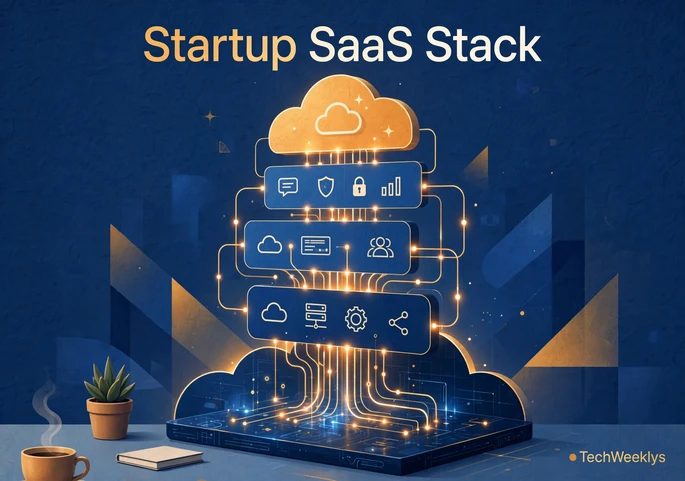
Fewer than you think. A functional early-stage stack covers four functions: communication, project management, customer management, and finance. One solid tool per function is enough for the first six to twelve months. Tool sprawl is a real tax: every extra app means another login, another subscription to audit, and another integration to maintain.
Add a new tool only when something is genuinely breaking, and review the whole stack every quarter to cancel what nobody uses. Founders comparing notes on lean operations often do it at the startup events covered in What Is Tech Week, where efficient tooling is a favorite hallway topic.
Frequently Asked Questions
What are the best SaaS tools for startups in 2026?
The best SaaS tools for a new startup in 2026 are Slack or Google Meet for communication, Notion for docs and tasks, HubSpot CRM for sales, Stripe for payments, QuickBooks Online or Xero for accounting, and Zapier for automation. Start with free tiers and upgrade only when usage forces it.
What are the best free SaaS tools for startups?
HubSpot CRM, Notion, Trello, Canva, Mailchimp, Buffer, and Google Workspace free tiers cover most early needs at zero cost. Many vendors also run startup programs with free credits or heavy discounts, so always check before paying full price.
How many of the best SaaS tools does a startup actually need?
Four to six tools cover everything at the start: one each for communication, project management, customer management, and finance, plus maybe email marketing and automation. Add tools only when a clear bottleneck appears, and audit the stack quarterly.
Are SaaS subscriptions worth it for pre-revenue startups?
Yes, when chosen carefully. The math is simple: a tool that saves several hours of founder time per month pays for itself immediately. The waste comes from subscriptions nobody opens, so the discipline is starting on free tiers and cancelling anything unused within the first quarter.
Conclusion
The best SaaS tools do not win by having the most features. They win by disappearing into your workflow so a tiny team can operate like a much bigger one. Start with proven products in the four core functions, lean on free tiers and startup programs, and let real bottlenecks decide your next purchase. A lean, well-chosen stack is a quiet competitive advantage that compounds every month.
Read More
